BODIS

Namecheap AuctionsNamecheap Auctions
SpaceshipSpaceship
Watch

matt_bodis

Bodis.comTop Member
Impact
867
Last edited:
5
•••
The views expressed on this page by users and staff are their own, not those of NamePros.
AfternicAfternic
Yes I will let you choose + there will be other features included as well.

These templates will launch, but all domains will stay on what they are on right now. User can choose templates him/her self. Any newly added domains will be automatically placed on the new templates automatically by system (user will still have override choice).

The idea is to not change anything on current domains automatically so that revenue is not disturbed.

Someone asked me via PM if there is 1-click, yes there should be a 1-click for every 2-click.
 
0
•••
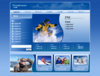
Three more templates that our designers designed today.

I hired 25 designers. We should have 1000 templates by end of March.

I'm going all out here to please my members. :hearts:
 

Attachments

  • lizard.jpg
    lizard.jpg
    978.2 KB · Views: 96
  • Mp3 Players.jpg
    Mp3 Players.jpg
    745.6 KB · Views: 97
  • Skiing.jpg
    Skiing.jpg
    801 KB · Views: 82
  • Skiing-v1.jpg
    Skiing-v1.jpg
    825.5 KB · Views: 91
  • Mp3 Players-v1.jpg
    Mp3 Players-v1.jpg
    752 KB · Views: 87
0
•••
Someone asked me via PM if there is 1-click, yes there should be a 1-click for every 2-click.

Im sorry but can you explain what that means for noobs like me :)
Great templates btw !
 
0
•••
Im sorry but can you explain what that means for noobs like me :)
Great templates btw !

1-click templates are those with advertisements on the home page.

2-click templates are those with keywords on the home page, and advertisements on the sub pages.

The examples I have shown so far are 2-click templates.

Clicking a keyword on the 2-click template takes you to a sub page with advertisements based on that keyword.
 
0
•••
How many keywords can you have per domain with the new templates? One thing I always wondered about was how we differentiate a two word keyword from a one word keyword, when we put in the keywords when adding a domain? Also, is the first keyword always the master keyword? How many keywords are too many?

Wow 1000 templates to choose from by end March! Awesome!
 
0
•••
Three more templates that our designers designed today.

I hired 25 designers. We should have 1000 templates by end of March.
Have you hired 25 designers to just change the colors and the photos of the same design?
confused-thinking-smiley.gif
 
0
•••
How many keywords can you have per domain with the new templates? One thing I always wondered about was how we differentiate a two word keyword from a one word keyword, when we put in the keywords when adding a domain? Also, is the first keyword always the master keyword? How many keywords are too many?

Wow 1000 templates to choose from by end March! Awesome!

Overall limit of 25 keywords.

It is preferred to use specific keywords, and that usually means 2-3 words per keyword. Such as: autoinsurance.com keyword would be "auto insurance".

You can also use upto 3 master keywords per domain, such as "auto insurance,car insurance,insurance", but I do not recommend it.
 
Last edited:
0
•••
No i am not member of Bodis.The truth is that i was ready to be,but finally i decided that i prefer to be one of your "hard working" designers..:D
 
0
•••
I for some reason believe we already know each other somehow. ;)
 
0
•••
I dont think so but never mind.
We can be good partners if your company pays good for my domains..:gl:
 
0
•••
If you want to achieve that, perhaps then it's a good idea to leave it to my team to do those templates. :D

In either case, you'll do well on Bodis. :) Welcome aboard.
 
1
•••
Matt. I'm still confused. So how do I enter the two word keyword, auto insurance. Is that "auto insurance","car insurance","motorcycle insurance" on the keyword line (including the " and ,?). How do I differentiate between a master keyword (you said we could have three, which also confuses me) and just a keyword. And when should we use a master keyword or just a plain keyword? I'm only used to putting single keywords with spaces on the keyword line. So I'm confused about these technicalities.

Also. It might be nice if we could have a preview button so that we can see what the new template looks like on the selected domain. It might be needed if we are playing around with keywords.
 
Last edited:
0
•••
1-click templates are those with advertisements on the home page.

2-click templates are those with keywords on the home page, and advertisements on the sub pages.

Thank you for your answers, make thanks.
Have you any input on the conversion rate ?
I guess the 2-click might be more effective ?

Currently thinking on switching to Bodis (sedo now). You make good advertisement for your service ;)
 
0
•••
hello sir. today i add one domain in my account. can you please guide me how i change my template and the related link or search links. thanks
 
0
•••
hello sir. today i add one domain in my account. can you please guide me how i change my template and the related link or search links. thanks

Both these options will be coming in the future weeks, as according to previous posts in this thread.

For now, there are just 2 templates that are determined by the optimization system.
 
0
•••
2-click vs 1-click depends on the domain name and the ads that our upstream providers set on the 1-click template. If they set correct ads, 1-click is better. If their ads are not as targeted, then 2-click is better.

As far as setting related keywords and links, you can do that by setting a master keyword from the Manage Domains section.
 
0
•••
Matt. I'm still confused. Are you saying domain.com,keyword when adding domains is different to putting the keyword in manage domains?

I still don't understand how we put in multiple word keywords when adding domains. Take your "car insurance" example. How do we enter this as a single keyword, and not as two words "car" and "insurance"?

I still don't understand the difference between a master keyword and a plain keyword. Is a master keyword always the first three keywords and any after that are just plain keywords?
 
0
•••
Hmmm I think you are confused with the concept of master keywords, maybe I need to add that to knowledge base soon.

The master keyword for your domain name sets all the related keywords on the landing page. Usually a landing page is made up of a good number of related keywords (10-30) depending on the template.

Setting a master keyword of "games", will generate 10-30 related keywords on template that are related to "games". If you set master keyword "car insurance", then you will get 10-30 keywords on landing page that are related to car insurance. Ofcourse, you enter this into the box WITHOUT the quotes around it.

Now if you want to have a landing page based on games AND car insurance, you simply enter it into the master keyword box as "games,car insurance", WITHOUT the quotes. Not recommended, but Bodis system will try to read the first 3 master keywords that are separated by a comma and generate related keywords based on that.

If you add a domain without a master keyword, system tries to figure out the related keywords based on the domain name and other algorithms.

Using the master keyword when adding a domain is the same as when entering into the box in Manage Domains. As a matter of fact, if you add a domain with a master keyword such as:

carinsurance.com,car insurance

You will notice that in the Manage Domains "car insurance" master keyword is in the box.

Overall point: the master keyword is a suggestion for our system. Based on it we create all the 30 or so related keywords on the landing page template.

So if you want to use multiple master keywords (not recommended once again), this what you'd do when adding a domain:

cargamesdomain.com,car insurance,games

Then in Manage domains under master keyword you'll see "car insurnace,games".

Hope that explains it. If not, let me know and I'll try to give it another shot.

 
0
•••
OK Get it. You separate the keywords with a comma when adding domains. So we can add up to 3 master keywords when adding domains? Is that correct?


 
0
•••
nowadays bodis allow only to put the master keyword in managing domain.
is that correct? when i log in I can just set it and see the report...
 
0
•••
Dynadot — .com TransferDynadot — .com Transfer
Appraise.net

We're social

Escrow.com
Spaceship
Rexus Domain
CryptoExchange.com
Domain Recover
CatchDoms
DomDB
NameFit
  • The sidebar remains visible by scrolling at a speed relative to the page’s height.
Back