



- Impact
- 0
All diverse Moyea Web Player Skins are artistically designed for FREE downloading and with unique personalities that will perfectly match different website themes or festival celebrations.
Available Skins to Choose from and it will be Continually Added
Skin name: Easter Blue
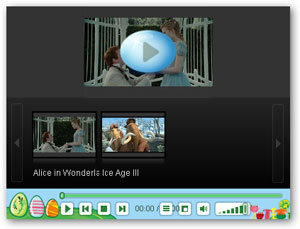
Category: Festival
Released on: Apr, 1st, 2010
Tips: Applies to all player versions
Learn more
WEAR IT!
Skin name: Easter Yellow
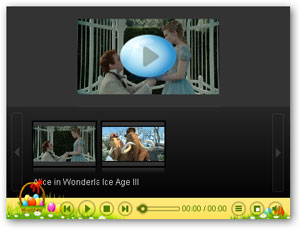
Category: Festival
Released on: Apr, 1st, 2010
Tips: V2.4 and up player versions shall ensure better visual effect
Learn more
WEAR IT!
Skin name: Harvest
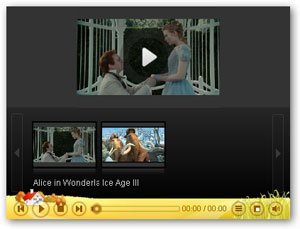
Category: Novelty
Released on: Apr, 6th, 2010
Tips: V2.4 and up player versions shall ensure better visual effect
Learn more
WEAR IT!
Skin name: Retro
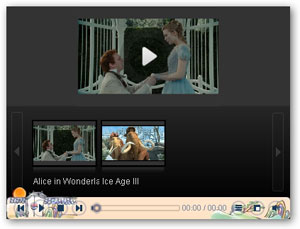
Category: Novelty
Released on: Apr, 6th, 2010
Tips: V2.4 and up player versions shall ensure better visual effect
Learn more
WEAR IT!
Skin name: Naughty Cat
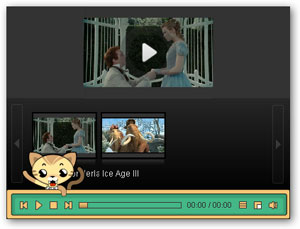
Category: Novelty
Released on: Apr, 07th, 2010
Tips: V2.4 and up player versions shall ensure better visual effect
Learn more
WEAR IT!
Skin name: Christmas 01
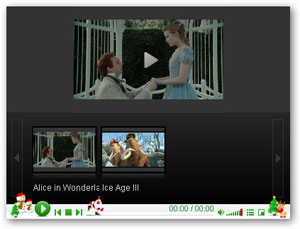
Category: Festival
Released on: Dec, 16th, 2009
Tips: V2.4 and up player versions shall ensure better visual effect
Learn more
WEAR IT!
Skin name: Christmas 02
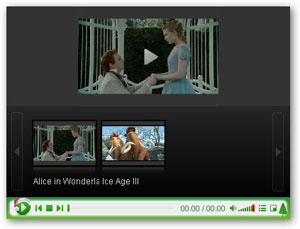
Category: Festival
Released on: Dec, 16th, 2009
Tips: Applies to all player versions
Learn more
WEAR IT!
How to apply these interesting skins to your Flash video player on website:
Step 1: Download and install Moyea Web Player, launch it on your PC. Click "Wear it" button to download the zipped skin file and then unzip it.
Step 2: Copy and paste all the unzipped folders to Moyea Web Player installation directory. Click "Yes" when overwrite file prompts.
Tips to locate installation directory: right click Moyea Web Player desktop icon-->"Properties"-->"Shortcut"-->"Find Target".
Step 3: Restart Moyea Web Player and use those fabulous skins within the same catagory to customize your own-style flash video player.
Available Skins to Choose from and it will be Continually Added
Skin name: Easter Blue
Category: Festival
Released on: Apr, 1st, 2010
Tips: Applies to all player versions
Learn more
WEAR IT!
Skin name: Easter Yellow
Category: Festival
Released on: Apr, 1st, 2010
Tips: V2.4 and up player versions shall ensure better visual effect
Learn more
WEAR IT!
Skin name: Harvest
Category: Novelty
Released on: Apr, 6th, 2010
Tips: V2.4 and up player versions shall ensure better visual effect
Learn more
WEAR IT!
Skin name: Retro
Category: Novelty
Released on: Apr, 6th, 2010
Tips: V2.4 and up player versions shall ensure better visual effect
Learn more
WEAR IT!
Skin name: Naughty Cat
Category: Novelty
Released on: Apr, 07th, 2010
Tips: V2.4 and up player versions shall ensure better visual effect
Learn more
WEAR IT!
Skin name: Christmas 01
Category: Festival
Released on: Dec, 16th, 2009
Tips: V2.4 and up player versions shall ensure better visual effect
Learn more
WEAR IT!
Skin name: Christmas 02
Category: Festival
Released on: Dec, 16th, 2009
Tips: Applies to all player versions
Learn more
WEAR IT!
How to apply these interesting skins to your Flash video player on website:
Step 1: Download and install Moyea Web Player, launch it on your PC. Click "Wear it" button to download the zipped skin file and then unzip it.
Step 2: Copy and paste all the unzipped folders to Moyea Web Player installation directory. Click "Yes" when overwrite file prompts.
Tips to locate installation directory: right click Moyea Web Player desktop icon-->"Properties"-->"Shortcut"-->"Find Target".
Step 3: Restart Moyea Web Player and use those fabulous skins within the same catagory to customize your own-style flash video player.












