Unstoppable Domains — AI Assistant

How to direct both www.jlo6687.info and jlo6687.info to same page

SpaceshipSpaceship
Watch

jobin

Account Closed
Impact
2
Recently I registered my first domain jlo6687.info registered at domainsdeal.com

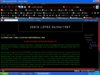
my problem is this whenever i type www.jlo6687.info it goes to the page i want it to go . but when i type jlo6687.info it goes to a page which says
"jlo6687.info
This page is parked free, courtesy of DomainsDeal.Com"

I would like to know how to direct jlo6687.info also to the page where www.jlo6687.info takes

screen shots of both pages are attached.
 

Attachments
  • www.jlo6687.info.jpg
    www.jlo6687.info.jpg
    212.1 KB · Views: 56
  • jlo6687.info.jpg
    jlo6687.info.jpg
    195.8 KB · Views: 44
Last edited:
0
•••
The views expressed on this page by users and staff are their own, not those of NamePros.
AfternicAfternic
This is done in the DNS Zone file. You want to make sure that jlo6687.info has an A record pointing to the same IP address as the A record for the www. By default that should have been there to begin with.


jobin said:
Recently I registered my first domain jlo6687.info registered at domainsdeal.com

my problem is this whenever i type www.jlo6687.info it goes to the page i want it to go . but when i type jlo6687.info it goes to a page which says
"jlo6687.info
This page is parked free, courtesy of DomainsDeal.Com"

I would like to know how to direct jlo6687.info also to the page where www.jlo6687.info takes

screen shots of both pages are attached.
 
1
•••
Your hosting company should do this automatically for you, sometimes it takes a while to start working properly
 
1
•••
thanks for the answers
I solved that problem
below is the solution
You may setup forwarding to opoint your domain to the WWW version of the site.

To setup or modify domain forwarding

1. From My Products, click Manage Domains.
2. Check the box next to the domain(s) you wish to modify.
3. Click the Forward Domains button above your list of domains.
4. Select the Enabled option.
5. Enter the full URL that you would like your domain to forward to. (For example: http://www.anotherdomain.com)
6. Select the redirect type you would like for the domain forwarding.
7. Click OK.
 
0
•••
Dynadot — .com TransferDynadot — .com Transfer
CatchedCatched

We're social

Escrow.com
Spaceship
Rexus Domain
CryptoExchange.com
Domain Recover
CatchDoms
DomainEasy — Payment Flexibility
DomDB
  • The sidebar remains visible by scrolling at a speed relative to the page’s height.
Back